Manually by the user via the device’s Web UI
Introduction
Every device offers the possibility to enter the provisioning server URL manual via the web-interface of the device.
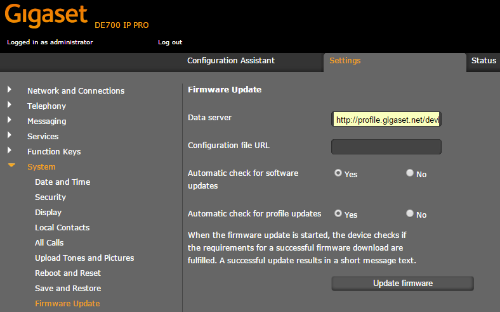
In the web-interface of the device go to: Settings - System - Firmware update - Data server
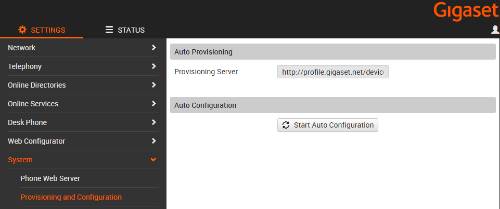
Maxwell Basic, 2 and 3 example
Open the web-interface and go to: SETTINGS - System - Provisioning and Configuration: Provisioning Server
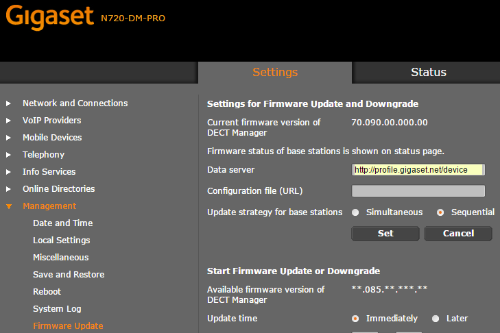
N720 example
Open the web-interface and go to: SETTINGS - Management - Firmware Update: Data Server
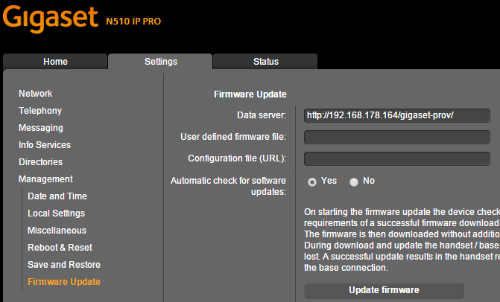
N510 Example
Open the web-interface and go to: SETTINGS - Management - Firmware Update: Data Server
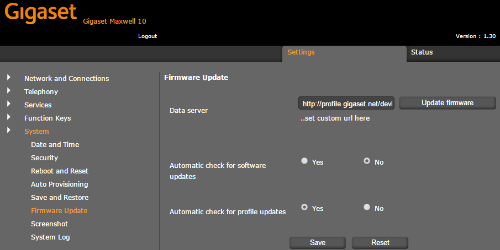
Maxwell 10 example
Open the web-interface and go to: SETTINGS - System- Firmware Update: Data Server
DE900/700/410/310 example
Open the web-interface and go to: SETTINGS - System - Firmware Update: Data Server