

Yeastar P-series - Nx70 autoprovisioning
Introduction
This page describes how the Gigaset Nx70 devices are provisioned behind the Yeastar P-series.
For this wiki article, we used:
- Yeastar P550
- Nx70 software 2.39.0
The Yeastar P-series supports up to 50 DECT handsets per DECT system:
- N670 up to 20 Handsets
- N670 with upgrade license can handle up to the Yeastar limit of 50 handsets
- N870 can handle up to the Yeastar limit of 50 handsets
Therefore the N670 and N870 use the same provisioning template.
Valid for: | |
N670 | N870 |
|---|---|
First steps to connect Nx70
- Start with an factory default Nx70.
- During boot the Nx70 will send a SIP multicast and the device will be visible in the Yeastar web-interface.

3. Via the Edit button  configure your device
IP Phone | IP Phone
Automatic selected by Yeastar based on the user-agent. |
|---|---|
Options | Options
Yeastar offers a default provisioning template for a device. Custom templates can be created and if available, it will be visible here. |
Assign Extension | Assign Extension
Select the handsets and assign it to an Extension. Limited by Yeastar: up to 50 DECT handsets per device |
Preference | Preference
|


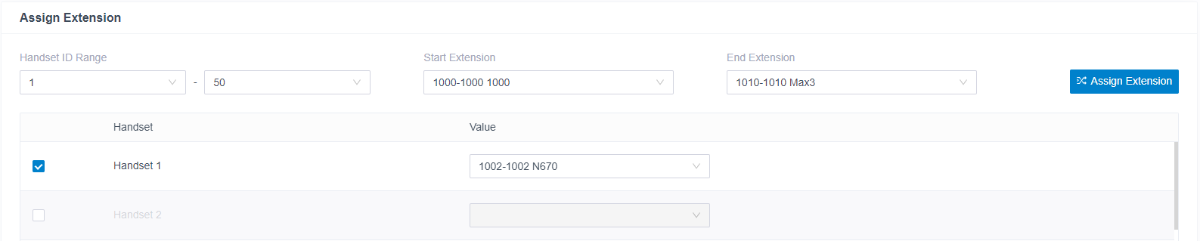

4. Save the configuration
5. The Yeastar should inform the N870/N670 about a new configuration and provisioning should be started. If this does not work then:
a. Download the provisioning file from the Yeastar web-interface.
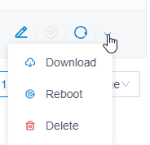
b. Search for the provisioning URL in the file: Example:
<!-- Provisioning URL -->
<param name="Provisioning.global.ProvisioningServer" value="http://192.168.3.150:7778/api/autoprovision/4HTPrDkJ0MZXwKqC/589ec62904f3.xml"/>
c. Copy the URL in the N870/N670 (SETTINGS - System - Provisioning and Configuration) and start provisioning.
Firmware update
In the Yeastar web-interface go to: Auto provisioning - Resource Repository - Device firmware and upload the new firmware like the example below.
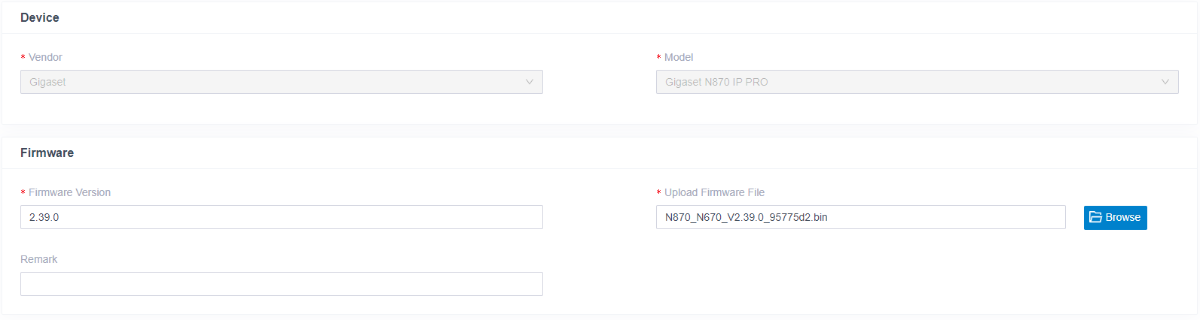
Go back to Phones and select your device and click on 
Known issues
- Call transfer of external calls, results in disconnected call.
This can be fixed by changing the following setting in the Nx70.
In the web-interface go to: Settings - Provider or PBX profiles - Edit
Change Signalling options for 'Hold' in Session Description Protocol (SDP) to sendonly
