FAQ - Wireshark remote Tracing
Valid for: | N610 | N670 | N870 | N870E | Embedded Integrator | Virtual Integrator |
Introduction
If needed, you can start a pcap trace on the N870/N670 direct from your PC.
The trace can be made on the:
- DECT Manager + Base + Integrator
- DECT Base
Enable SSH access
First you need to enable SSH access to the system.
Open the web-interface and go to: SETTINGS - System - Web configurator.
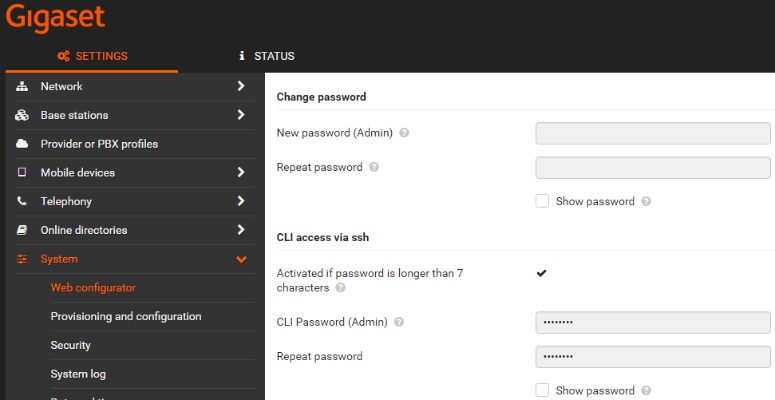
Enter the Password for the SSH access.
Direct remote tracing in Wireshark
The trace can be started direct from your PC.
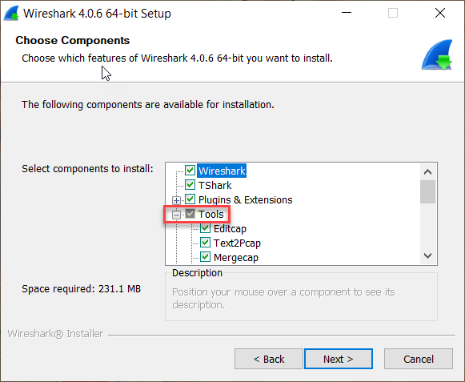
First install the sshdump tool in Wireshark:
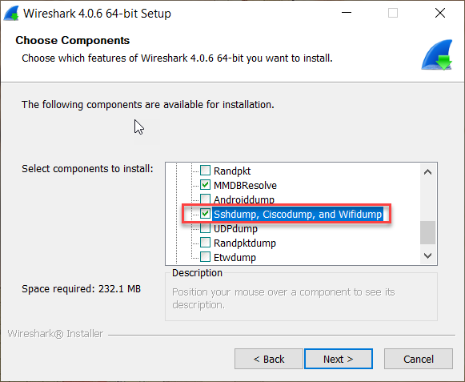
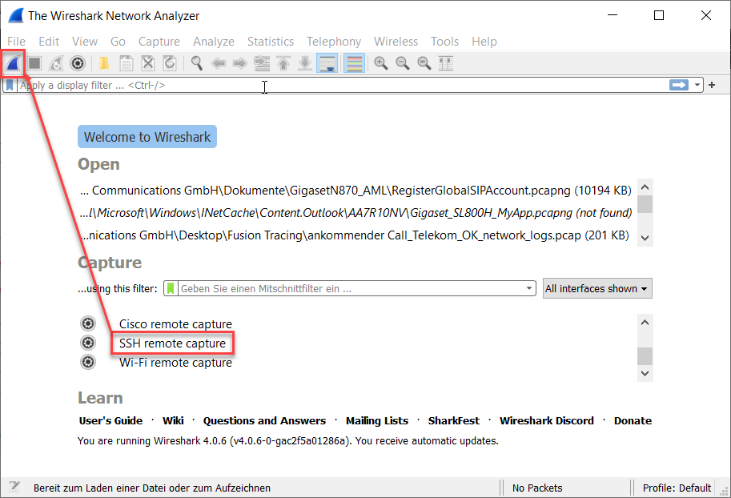
Now you have a new Interface available in Wireshark - SSH remote Capture
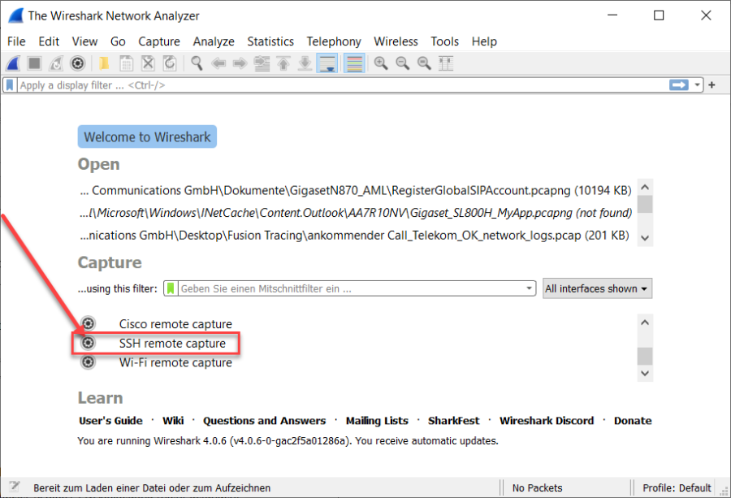
Configure the SSH remote capture Interface for your environment:
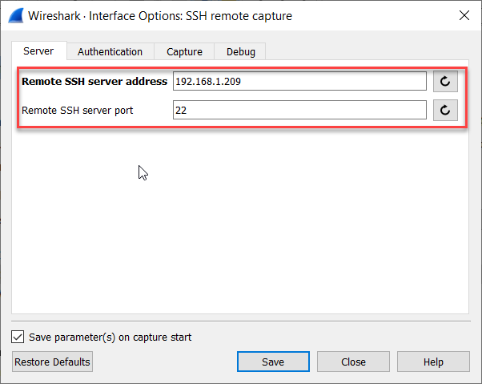
Enter the IP-Adress from the device you want to capture e.g. Integrator, Dect-Manager or Bases.
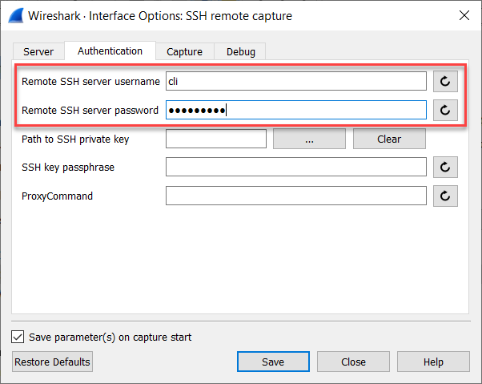
And also SSH server username "cli" and your cli password on authentication tab.
Hint: after closing wireshark, or change something in the interface settings, you must reenter your password.
Activate "Use sudo on the remote machine".
Due to increased security, with software version 2.70 or higher you need to use the following setting
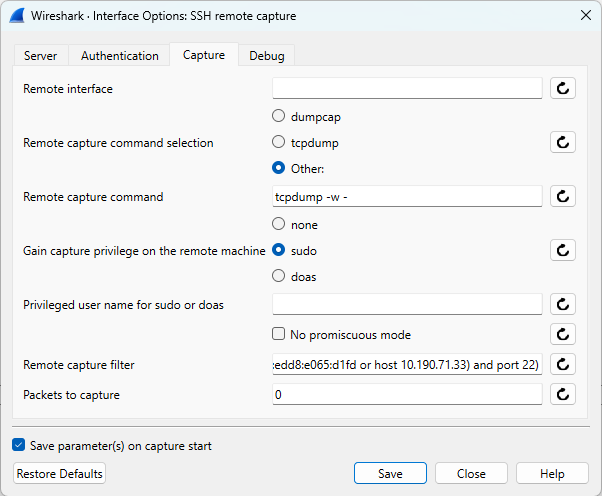
With previous software version:
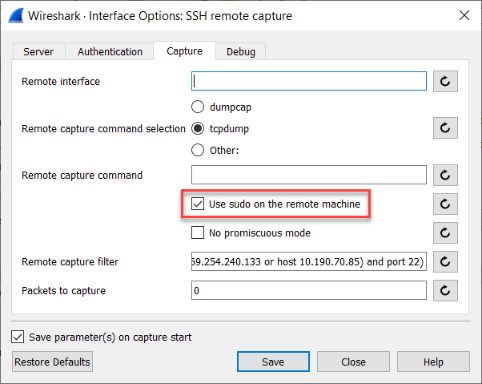 in case of error, please try: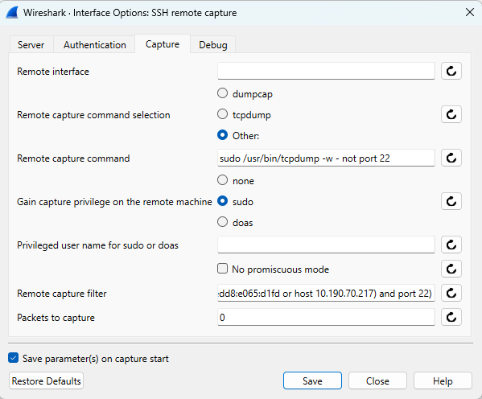
sudo /usr/bin/tcpdump -w - not port 22
please check, if the Remote capture filter is set propably by wireshark. you can force this by pressing the "Restore default value of the item" button.
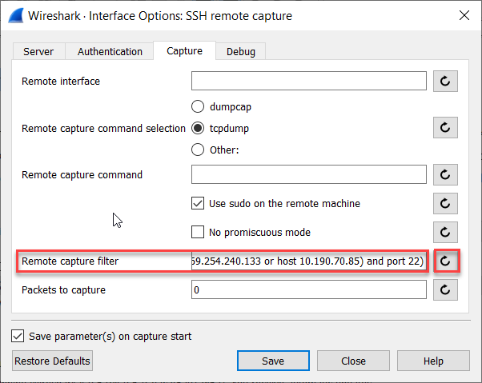
Save the settings and close the interface settings.
Now you can Start capturing directly from the remote device to your local pc.
Therefore doubleclick on the interfache, or choose the interface and click on the blue wireshark start capture button in the main tool bar.