

FAQ SL850H / SL800H / S700H / R700H - Bluetooth Beacon
Introduction
The handset can act as a BT beacon. To get access to it, follow steps listed below. (Valid from software release 11)
Make sure that Bluetooth is activated !!!
Watch configuration:
- In main menu (just after accessing it from Idle/Standby), enter code *#beaconon# (for b-press '2' once, for e-press '3' once, etc. → *#23226666#). Positive tone with confirmation screen is expected.
- From main menu, visit Bluetooth menu. At last position new item will be visible
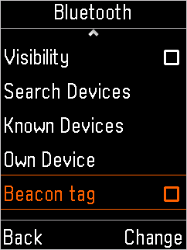
- Pressing the right function key opens configuration of the beacons.
- To deactivate the application (hide it again): in main menu (just after accessing it from Idle/Standby), enter code *#beaconoff# (for b-press '2' once, for e-press '3' once, etc. → *#232266633#)
Editing configuration:
User can select mode and can reconfigure some parameters.
1) In main menu (just after accessing it from Idle/Standby), enter code *#beaconedit# (for b-press '2' once, for e-press '3' once, etc. → *#2322663348# ). The application with beacons parameters opens that allows to change the settings.
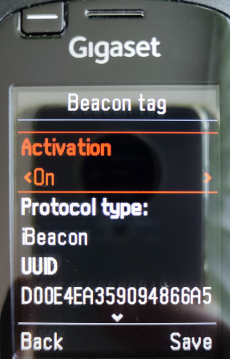
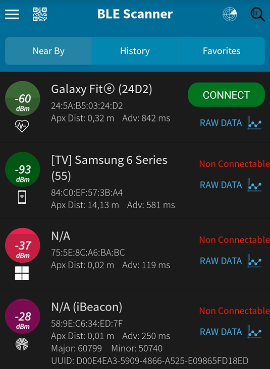
- After activation the handset can be discovered by any BT LE scanner:
Handset application picture | Smartphone - screenshot |
|---|---|
|
|
Auto-provisioning