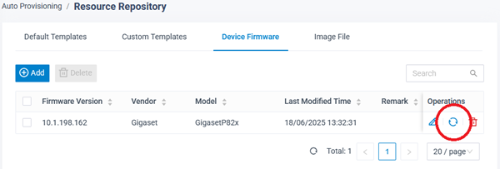
Yeastar P-series - P710/P810(B)/P82X/P85X(B)W Firmware update
You can update the device firmware via the Yeastar system.
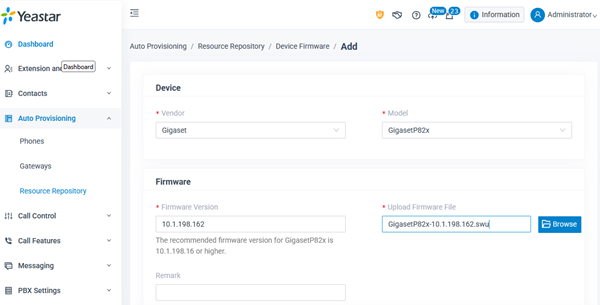
- Open the Yeastar web-interface and go to: Auto Provisioning - Resource Repository - Device Firmware - Add
- Vendor: Gigaset
- Model: GigasetP82x or other model
- Firmware version: Example: 10.1.198.162
- Upload Firmware File: Click on Browse to upload the Firmware
- Press Save
- Click on
 to update your devices