Enter a brief description of your changes
(Required)
Minor changes are by default collapsed in the page history.
No changes
The page does not exist yet.
Failed to load changes
Version by on
Leave Collaboration
Are you sure you want to leave the realtime collaboration and continue editing alone? The changes you save while editing alone will lead to merge conflicts with the changes auto-saved by the realtime editing session.
Yeastar P-series - P710/P810(B)/P82X/P85X(B)W Function keys
Via the Yeastar web-interface you can configure the device function keys.
Open the Yeastar web-interface
Go to: Extension and Trunk - Extension - Edit - Function Keys
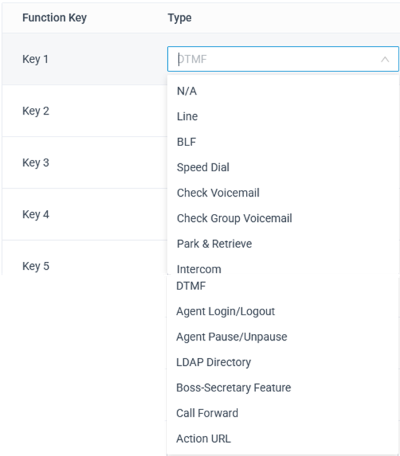
The following keys can be configured
N/A (Empty Key)
Line
BLF
Speed Dial
Check Voicemail
Check Group Voicemail
Park & Retrieve
Intercom
DTMF
Agent Login/Logout
Agent Pause/Unpause
LDAP Directory
Boss-Secretary Feature
Call Forward
Action URL
Information
You need to start Reprovision after you changed the function keys. The Yeastar system does not start provisioning automatically after function keys changes.