Yeastar P-series - P710/P810(B)/P82X/P85X(B)W Reboot
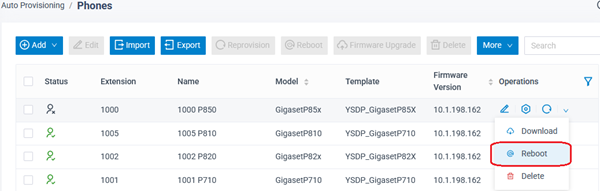
You can reboot your device via the Yeastar web-interface.
- Open the Yeastar web-interface
- Go to Auto provisioning - Phones and click
- Yeastar will send a SIP check-sync message to trigger the device to Reboot