

FAQ Desktop - user_idle_number
Description
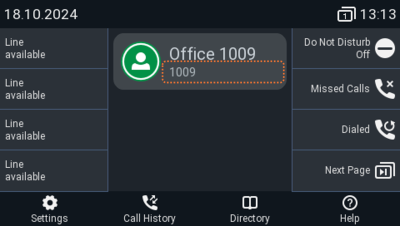
This setting only works on the phones with the color menu and version 10. If you enter a name or number in this field, the entered value replaces the account number / identity shown in the subtext of the idle screen for this particular identity. This information is not sent out to anyone, but is merely shown on the phone’s display for your information.
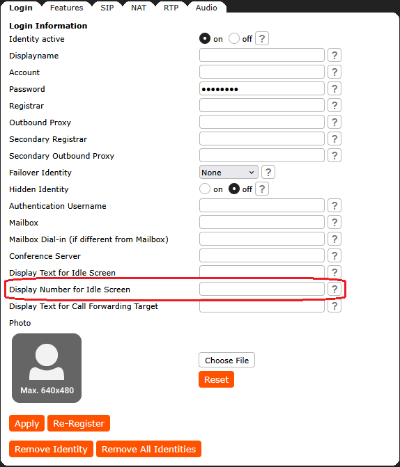
Web User Interface
Setup - Identities - Login (Tab) - Login Information (Section): Display number for idle screen
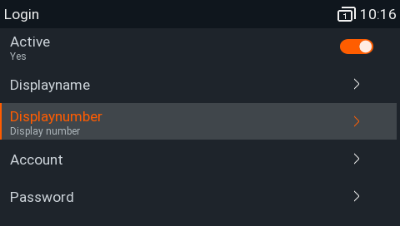
Phone User Interface
Settings - Identity - Edit Identity - Edit Identity - Identity ... - Displaynumber
Auto-provisioning
Parameter | Description |
|---|---|
<user_idle_number idx="INDEX" perm="PERMISSIONFLAG">VALIDVALUE</user_idle_number> | e.g. 123, provider-abc, my extension: 123, Company A, +49 30 398 33 123 |