FAQ N530 - Locating a handset, finding the phone's IP address ("paging")
Introduction
You can locate your handset using the base.
- Briefly press the registration/paging button on the base
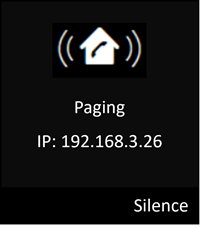
All handsets will ring at the same time ("Paging"), even if the ringtones are switched off.
The current (local) IP address for the base appears in the handset displays.
Ending paging
- Briefly press the registration/paging button on the base
Or: - Press the talk key on the handset.
Or: - Press the display key Silence on the handset.
Or: - Do not press any key on the base or handset:
After approx. 30 seconds, the paging call will end automatically