

FAQ - Novalink
Novalink
The leading alarm software for people and machines – novaalert
The novaalert alarm software lets you easily and efficiently define individual alarm events for each alarm.
Because every second counts in an emergency. Every alarm or message requires fast and reliable transmission. Alarm servers are the interface between emergency call switches and sensors on the one hand and the alarm devices on the other.
novaalert – the alarm software for:
- Secure transmission of information
- Higher-level and prioritized communications
- Custom combinations of different communication media and systems
- Fast, automated process sequences
- Pre-planned actions in crisis situations
You generate information – the novaalert alarm software makes sure it arrives safely.
The novalink alarm software ensures that all relevant information relating to an emergency or technical malfunction is recorded via suitable system interfaces and assigned to a process that defines the appropriate response. All processes can be individually defined in order to initiate the necessary measures.
Open system architecture
For successful integration into an existing system environment, it is crucially important that the existing interfaces can be interconnected.
The novaalert alarm software is based on an open system architecture and supports a vast range of different system interfaces. This enables the integration of both traditional and state-of-the-art interfaces and IT systems.
Modular design
A “one-size-fits-all” approach to alarm systems simply does not work. Each customer has individual requirements and their own infrastructure, which must be taken into account. For this reason, the novaalert alarm software is based on a modular structure.
Every novaalert project – no matter how large or small – can be expanded and developed freely in accordance with the customer’s needs, without restrictions or limitations.
Mapping of alarm processes
For each event, novaalert lets you define:
- Which people or groups should be informed
- Which medium is the most suitable (smartphone app, PC, telephone, SMS, e-mail, pager, etc.)
- How much detailed information the selected recipients will receive
- What to do if the selected recipients cannot be reached
You can also determine whether the recipient is permitted to execute subsequent interactive tasks or initiate additional measures after receiving a notification. Detailed schedules (different weekend arrangements, etc.) can also be defined.
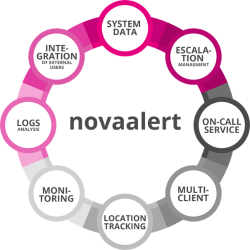
An A–Z of the novaalert alarm software
More information on:
https://www.novalink.ch/en/products/novaalert-alarm-software/

AML Feature | Supported | |
|---|---|---|
Send message prio 1 - 9 | • | |
Title: Text | • | |
Title: Color (White / Green / Yellow / Red / Blue) | • | |
Icons: Type, supporting the Gigaset icon range | • | |
Icons: Color (White / Green / Yellow / Red / Blue) | • | |
Ringtone: Melody prio Low / Medium / High / Silent | • | |
Ringtone: Set/overrule volume | • | |
Message paragraph 1: Text | • | |
Message paragraph 1: Color | • | |
Message paragraph 1: Align | • | |
Message paragraph 1: Blinking | • | |
Message paragraph 1: Bold | • | |
Message paragraph 1: Underline | • | |
Message paragraph 2: Text | • | |
Message paragraph 2: Color | • | |
Message paragraph 2: Align | • | |
Message paragraph 2: Blinking | • | |
Message paragraph 2: Bold | • | |
Message paragraph 2: Underline | • | |
Vibration: Enable yes/no | • | |
Silencing: Overrule the user silence settings | • | |
Delete message: Allowed yes/no | • | |
Ignore message: Allowed yes/no | • | |
Presentation timer: How long the message is displayed on the handset | • | |
Time to Live: How long the message is stored on the DECT system | • | |
Reply options: Using softkeys to reply on messages | • | |
Message user response: Server reacts on user handling/feedback | • | |
Location: Server can ask HS to send DECT signal information | • | |
Location: Server can ask HS to send BLE beacons information | • | |
Start Alarm call via key/number: Dial phone number | • | |