

FAQ - Messaging and Location how to enable/disable per handset
Valid for: |
| N670 | N870 | N870E | Embedded Integrator | Virtual Integrator |
Valid for N670 / N870 / N870E, but not supported by N610.
The messaging and location feature can be enabled/disabled via:
- Web-interface
- Auto-provisioning
Web-interface
From software version 2.51 or higher, the messaging and location license can be managed via the web-interface.
Go to: SETTINGS - Mobile devices - Administration - Edit
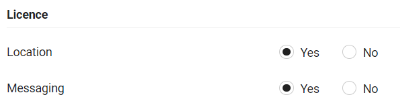
- If the DECT handset does not support one of these features, it will not be visible
- If you have no unused licenses available, it will be grayed out
In the handset overview you can see if a license is activated for an handset via an icon:
- Location license is enabled:

- Messaging license is enabled:


Auto-provisioning
Via the following provisioning example, the location and/or messaging feature can be enabled.
In this example we change enable the feature for the handset with IPUI "035edb3a92".