FAQ - Automatic Backup to SFTP server
Valid for: | N530 | N610 | N670 | N770 | N870 | N870E | Embedded Integrator | Virtual Integrator |
Valid for N610 / N670 / N870 / N870E. Software 2.44 or higher is needed.
From software 2.44.0 you can automatic backup your configuration to an SFTP server.
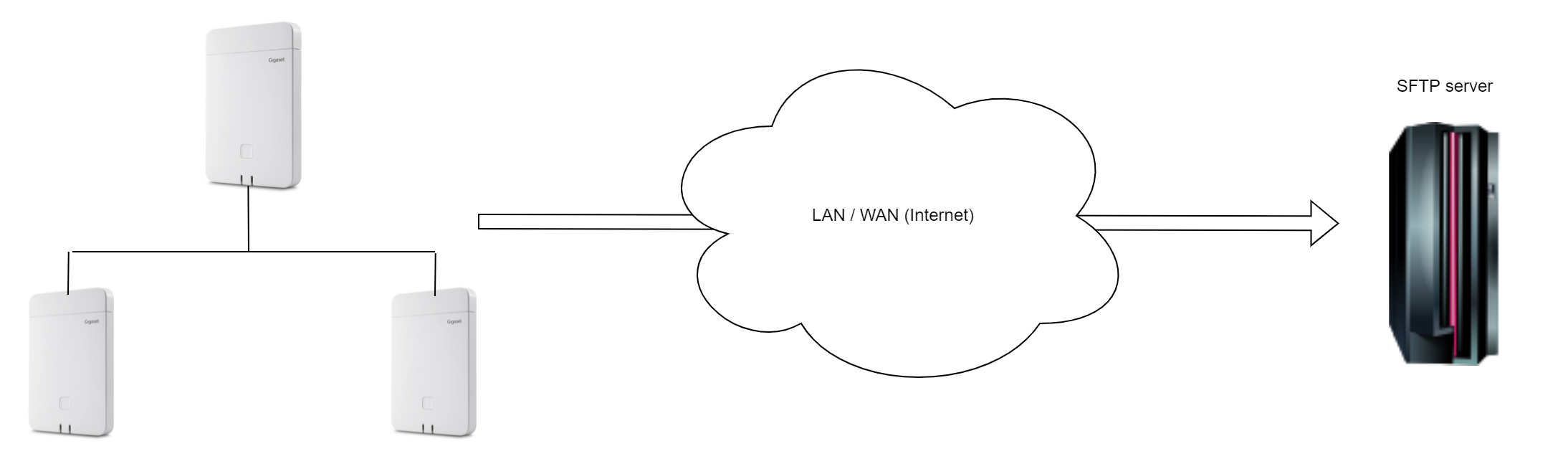
- Automatic SFTP Back-up
- Select day(s) per week
- Define the back-up time
- Back-up is done by the device having the Integrator role (INT / INT + DM / INT + DM + Base)
Auto-provisioning
Parameter | Description |
|---|---|
AutomaticBackup.0.ServerURL | Server address where backup should be sent example: "sftp://192.168.178.200/" the system will create the backup named: <MAC address>_<Software version>_YYYY_MM_DD_"device-settings" Please end URL with "/" else SFTP upload is not started You can also enter the name of the file directly: example: "sftp://192.168.178.200/N870_backup.cfg" |
AutomaticBackup.0.ServerPort | Server port (22) |
AutomaticBackup.0.AuthUserName | Authentication username |
AutomaticBackup.0.AuthPassword | Authentication password |
AutomaticBackup.0.ScheduledDaysOfTheWeek | Days of the week when automatic backup should be triggered (mon tue wed thu fri sat sun) |
AutomaticBackup.0.UploadTime | Day time when backup will be executed (HH:MM) |
AutomaticBackup.0.Immediately | 1 - if backup should be executed immediately, 0 - otherwise |
AutomaticBackup.0.Enabled | 1 - if automatic backup is enabled, 0 - otherwise |
Example: <?xml version="1.0" encoding="UTF-8"?> <nvm> <!-- server port --> <!-- authentication username --> <!-- authentication password --> <!-- days of the week when automatic backup should be triggered (mon tue wed thu fri sat sun) --> <!-- day time when backup will be executed (HH:MM) --> <!-- 1 - if backup should be executed immediately, 0 - otherwise --> <!-- 1 - if automatic backup is enabled, 0 - otherwise --> </nvm> | |
Web-interface
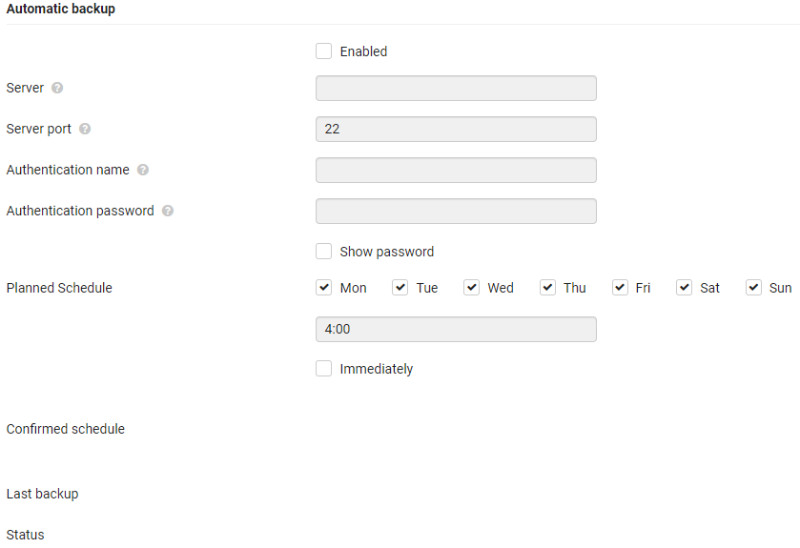
From software 2.47 we have implemented the web-interface option to configure Automatic Back-up.
Go to: SETTINGS - System - Save and restore