

FAQ - Base station web-interface
| Valid for: | N670 | N770 | N870 | N870E | Embedded Integrator | Virtual Integrator |
Overview
From software 2.70.0, DECT base stations can now be managed through a built-in web interface, making installation, maintenance, and troubleshooting significantly easier.
The new web interface provides access to the following functions:
- Login and user authentication
- System status
- Diagnostics
- IP/LAN configuration
- DECT Manager configuration
- Firmware management and updates
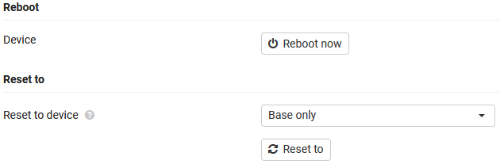
- Reboot and factory reset
A key enhancement of this release is the simplified deployment of DECT base stations across multiple IP subnets. Previous software versions required all base stations to be located within the same IP subnet. With the new web interface, configuring and managing base stations in different IP subnets is now straightforward, providing much greater flexibility for larger and more complex network environments.
Web-interface
Enter the IP address of the base-station in your browser. When never connected to the Integrator/DECT manager then: Username = admin Password = admin When already connected to the Integrator/DECT manager then: Username = admin Password = Integrator/DECT manager configured password | 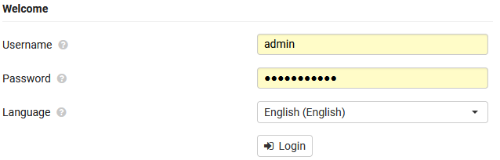 |
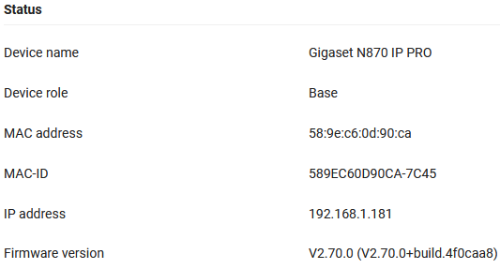
Status - Overview
|  |
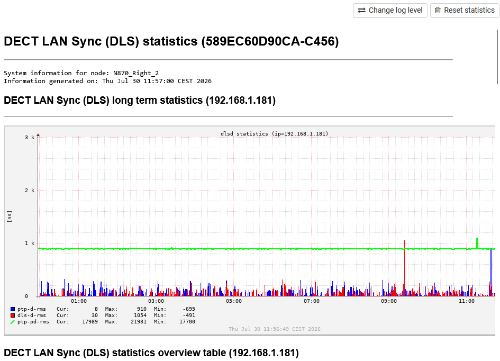
Status - Diagnostics
|  |
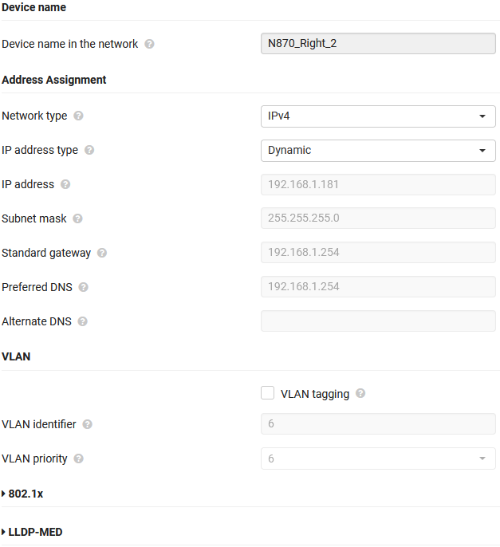
Settings - Network
|  |
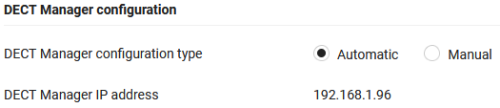
System - DECT manager This allows you to assign the DECT manager IP address:
|  |
System - System firmware A software version can be installed on a base station during the initial installation process. In most deployments, this manual update is not required, as the base station automatically However, in specific scenarios, a manual software update may be necessary before the base-station This feature ensures that base stations can be upgraded to the required baseline software version | 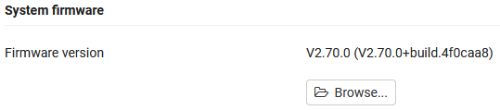 |
System - Reboot and Reset
|  |