

FAQ Nx70 - Central phone-book, html tool to create a phone-book file
Valid for: | N530 | N610 | N670 | N770 | N870 | N870E |
| Virtual Integrator |
Introduction
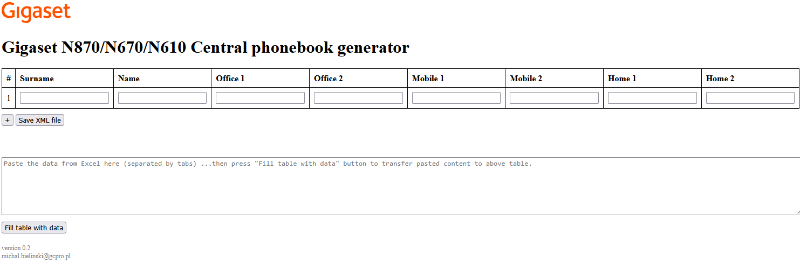
To make it easier to create a phone-book file, we have created an example html file you can use the create the "..._n870_phonebook.xml" file.
Download the html file (v0.2) here: and start from your PC
Or click on the following link: http://profile.gigaset.net/tools/N870_phonebook_generator.html to use the online version
Configuration
You can add the contacts manually or copy and past your contacts (tab separated)
Upload phonebook file
In the N870/N670 go to: SETTINGS - Online directories - Central phonebook - Load phonebook from PC and select your "..._n870_phonebook.xml" file.