

FAQ - Convert N720 database
Valid for: | N530 | N610 | N670 | N770 | N870 | N870E | Embedded Integrator | Virtual Integrator |
Introduction
In case you want to migrate an N720 system to this new DECT system, then Gigaset can convert the N720 settings to an xml file you can upload. This will save you a lot of time copying the SIP account data.
The following settings will be converted:
For all 100 Handsets:
- IPUI
- SIP Authentication name
- SIP Password
- SIP username
- Display name
- Voicemail active yes/no
- Voicemail number
- Call manager settings
- Calls Count settings
- MWI missed calls
- MWI alarm
- MWI Mailbox
Other settings needs to be added manually.
What is needed
- In the N720 you need to save the settings of the system.
- Send this encrypted file to your Gigaset contact.
- Gigaset will convert this file to an N870.xml file.
Open the web-interface of the device and go to: SETTINGS - Mobile devices - Administration - Import
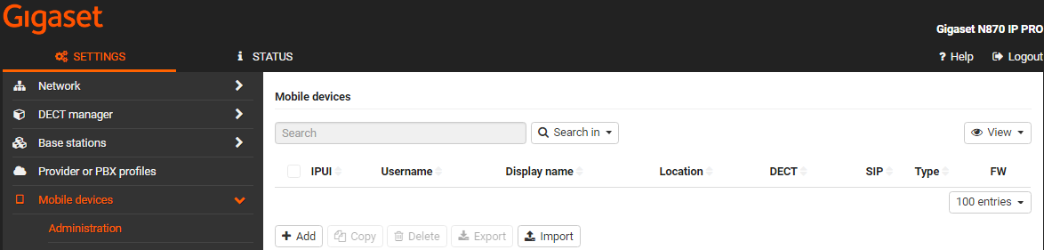
- Select the "N870.xml" file and all DECT handset settings are loaded.
- Register the DECT handsets to the N870, using the standard PIN code "0000"