FAQ - DECT Handset Re-registration
Valid for: | N530 | N610 | N670 | N770 | N870 | N870E | Embedded Integrator | Virtual Integrator |
Introduction
Here we describe how you can re-register a DECT handset.
DECT handset re-registration can be started:
- Manually
- Automatic
Manual DECT handset re-registration
It is not needed to de-register the handset.
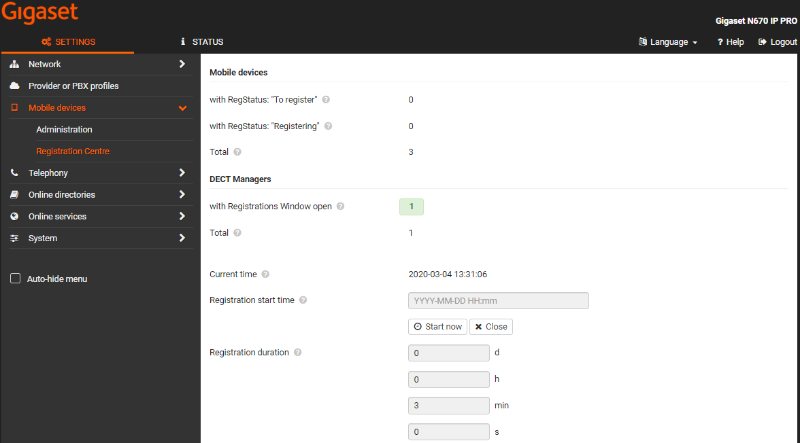
See the example below, the handsets are registered.

In the Nx70 web-interface go to SETTINGS - Mobile devices - Registration Centre and click on Start now.
Open the handset menu: Settings - Registration - Register handset - OK enter the PIN when asked.
Handset is re-registered and has the new/updated handset menu.
Automatic DECT handset re-registration
Via the following procedure, the system will start the re-registration: (Software 2.29.0 or higher is needed)
- After max. 6 hours
- When handset was out of sync for > 40 seconds
- Switch handset OFF and On
- Roaming
This can only be triggered via auto-provisioning:
Create an XML file like the example below.
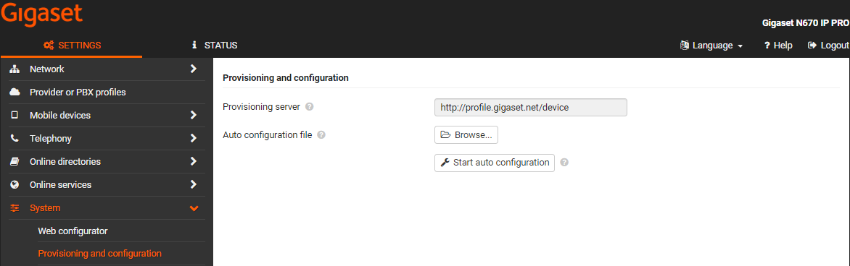
In the web-interface go to: SETTINGS - System - provisioning and configuration - Auto configuration file - Browse, select your file, upload and press Start auto configuration.