

FAQ - Handset replacement via web-interface.
Valid for: | N530 | N610 | N670 | N770 | N870 | N870E | Embedded Integrator | Virtual Integrator |
Introduction
If an handset needs to be replaced, the web-interface offers an Replace option.
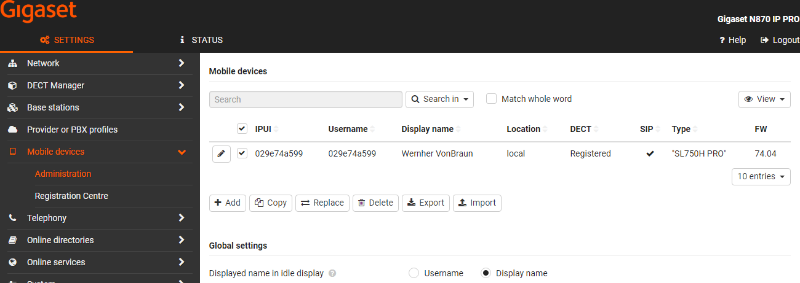
In the web-interface go to: SETTINGS - Mobile devices - Administration
Select the handset and click on Replace.
A new window will open:
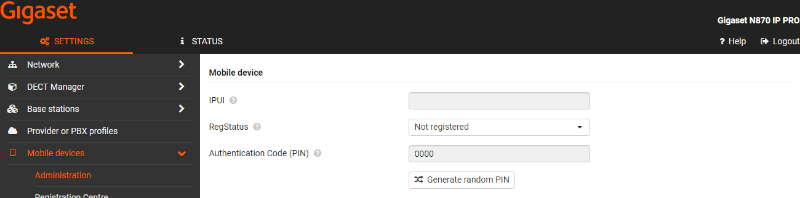
Enter the IPUI number of the new handset and press Set to save the changes.
The new handset must be registered to the system.