FAQ - Installation
Valid for: |
|
| N670 | N770 | N870 | N870E | Embedded Integrator |
|
Introduction
The N870(E), N770 and N670 have only one hardware, the role determines its functionality.
When you connect a N870(E)/N770 to the Power, it will start by default as a "base station". A N670 will start by default as an "All-in-One". You can change the role of the device using the procedure described on this page.
Preparation
- Perform DECT measurement and site planning
During the planning phase of your DECT network you should have created an installation plan for the DECT managers and base stations. - Connect the devices to the local network.
- Register at least one device as Integrator/DECT manager.
- Mount the devices at the planned locations.
- Configure the local network settings via web configurator.
You need a PC connected to the local network, so that you can configure your telephone system via web configurator. - Perform a firmware update.
- Register the base stations to the telephone system.
- Configure the base station synchronization.
- Configure VoIP PABX or provider.
- Register handsets and perform handset configuration.
- Create a backup to save your configuration
How to change the role.
Per default, the N870(E)/N770 is delivered as a base station. To change the role to a Integrator/DECT Manager or to reset the base, please follow this instruction. | ||
|---|---|---|
Remark: Please be aware that existing configuration and user data will be lost. Please perform backup in advance if needed |
| |
Example: How to change the role to: Integrator/Manager and DECT base in one | ||
Info: Reboot can take up to 5 minutes !!! After reboot the LED's will show different colors then when changing the role. | ||
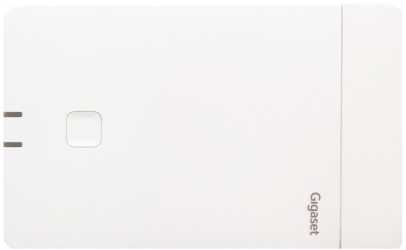
Programming mode
Progr. | Role | IP | Description | LED 1 | LED 2 | activate by |
|---|---|---|---|---|---|---|
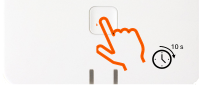
0 | Programming mode | off | off | press & hold key for
| ||
The device will show direct the role Base station. | ||||||
1 |
| DHCP | DECT Base role | Green |
| |
If you want to use this role, then press & hold key for 5 seconds until both LED's are RED (step 5). If not, go to step 2. | ||||||
With one key press you switch to the next option. (All in one, DHCP) |
| |||||
2 |
| DHCP | All in one, DHCP (Base + DECT Manager + Integrator) | Blue | Blue |
|
If you want to use this role, then press & hold key for 5 seconds until both LED's are RED (step 5). If not, go to step 3. | ||||||
With one key press you switch to the next option. (All in one, Fixed IP) |
| |||||
3 |
| Static IP: 192.168.143.1 Subnet mask: 255.255.0.0 | All in one, Fixed IP (Base + DECT Manager + Integrator) | Blue |
| |
If you want to use this role, then press & hold key for 5 seconds until both LED's are RED (step 5). If not, go to step 4. | ||||||
With one key press you switch to the next option. (Base + DECT Manager) |
| |||||
4 |
| DHCP | Base + DECT Manager | Blue | Green |
|
If you want to use this role, then press & hold key for 5 seconds until both LED's are RED (step 5). If not, with one key press you switch back to the beginning, the Base station role (step 1) | ||||||
5 | Confirm role press & hold key for 5 seconds until both LED's are RED. | Red | Red |
| ||