FAQ Redundancy - DECT Manager (DM)
Valid for: |
|
|
|
|
|
| Embedded Integrator | Virtual Integrator |
Introduction
Only available with a virtual integrator managing multiple DECT managers.
- DECT manager redundancy needs working integrator:
- Implementing backup DM without planning redundancy for integrator has limited value.
- For DM redundancy it is recommended to plan redundancy for VI by the machine virtualization.
- Disable the DECT Base on the Master DECT manager:
- The backup DM and the DM redundancy feature can only provide redundancy for the DM role, but not for the local base functions!
- Therefore you should not plan with the local base enabled on the DM, if you are planning for DM redundancy.
- No fallback to Master DM. Master will become back-up DM
- Back-up DM does not consume an additional DM license
- Failover to the backup DECT manager takes place when:
- Backup DM recognizes, that significant majority of base stations are disconnected from master DM
- Backup DM recognizes, that significant majority of base stations are connectable to backup DM
significant >= ( 60% + 1 of active base stations) - this situation continuously lasts for more than 7 minutes this way preventing failover under regular software update duration (6 minutes).

Failover table | |
|---|---|
Number of active base-stations | Failover when n external*) active bases are detected
for more than 7 minutes. *)Local base stations are never detected not connected to DM. |
1 | 1 |
2 | 2 |
3 | 2 |
4 | 3 |
5 | 4 |
6 | 4 |
7 | 5 |
8 | 5 |
9 | 6 |
10 | 7 |
11 | 7 |
12 | 8 |
13 | 8 |
14 | 9 |
15 | 10 |
... | ... |
Auto-provisioning
Web-interface
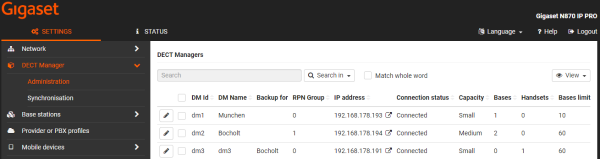
- In the web-interface go to: SETTINGS - DECT Manager - Administrator
- Click on the DECT manager where you want to configure the back-up DECT manager, the key Add backup DM will become functional
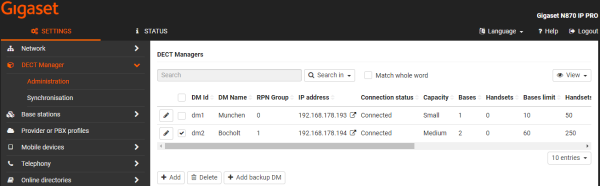
- Click on the key Add backup DM
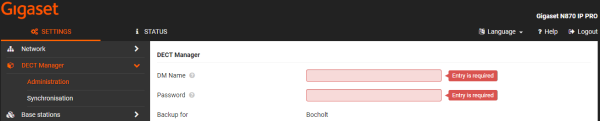
And enter your settings - Then configure the Back-up DECT manager with the Integrator settings
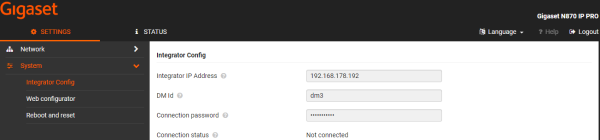
- The back-up manager is configured