FAQ - SNMP explained
Valid for: | N530 | N610 | N670 | N770 | N870 | N870E | Embedded Integrator | Virtual Integrator |
Introduction
On this page we would like to provide more details about SNMP and how to use a freeware tool for testing.
- Download and install the freeware tool: https://www.manageengine.com/products/mibbrowser-free-tool/
- N670 with the IP address 192.168.178.190
- PC has the IP address: 192.168.178.14
From software 2.36 SNMP is disabled when the SNMP manager address = 0.0.0.0
Nx70 Settings
In the Nx70 web-interface go to: SETTINGS - System - System log - SNMP statistics
Enter the SNMP manager information, in this example my PC (192.168.178.14).
We used the default username and password.
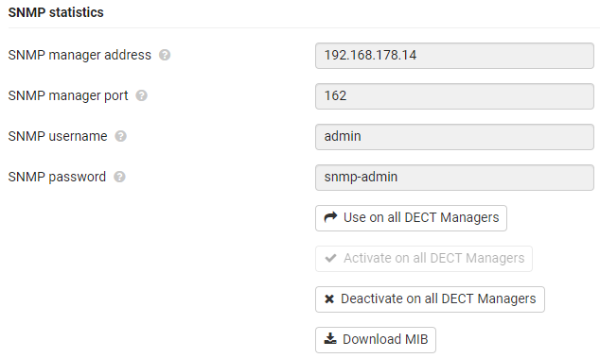
On this page you can also download the Nx70 MIB file that you can then upload on your SNMP server.
SNMP tool settings
Import MIB file
In the tool go to: File Load MIB
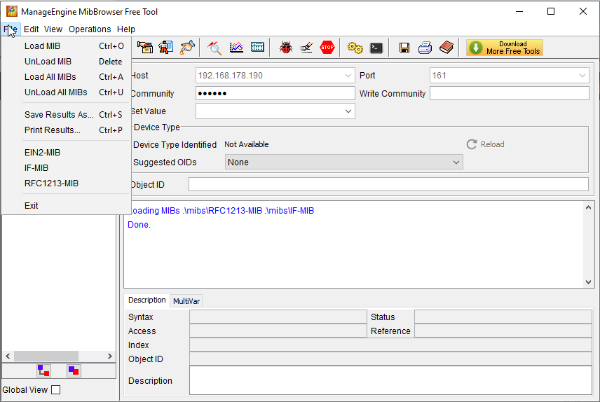

Enter login credentials.
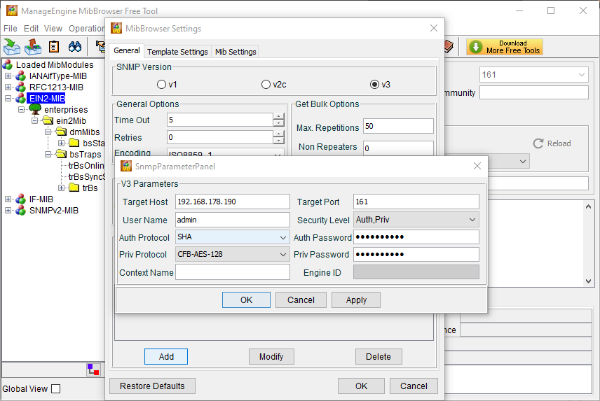
In the tool go to:
- Edit - Settings
- Select SNMP v3
- Click on Add
- Target Host: The IP address of the Nx70
- Target port: The port number (161)
- Username: The username configured in the Nx70 (admin)
- Auth Password: The password configured in the Nx70 (snmpadmin)
- Priv Password: The password configured in the Nx70 (snmpadmin)
- Auth Protocol: SHA
- Priv Protocol: CFB-AES-128
Read SNMP Values
- Select a base station
- Right click and select SNMPWALK
- You will get the supported SNMP values
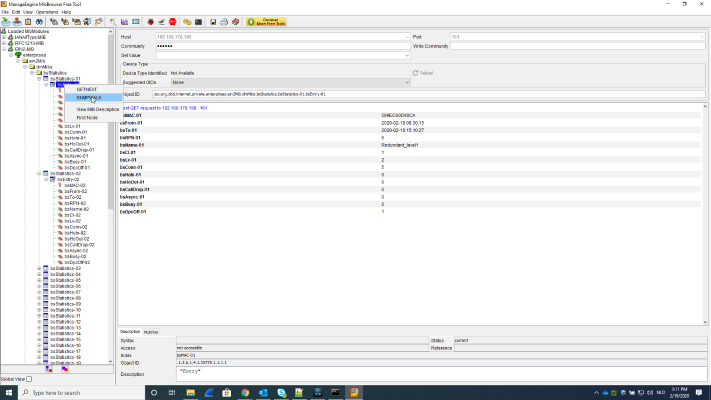
Supported SNMP values | Description |
|---|---|
bsMAC-xx | MAC address of Base station |
bsFrom-.. | BS start time when connection to DM |
bsTo-.. | actual time of BS connection to DM |
bsRPN-.. | RPN number |
bsName-.. | name of BS |
bsCl-.. | cluster level |
bsLv-.. | sync level |
bsConn-.. | DECT MAC layer connection setup |
bsHoIn-.. | Handover setup in |
bsHoOut-.. | Handover setup out |
bsCallDrop-.. | Call Drop |
bsAsync-.. | BS lost DECT synchronisation |
bsBusy-.. | Single module enter in busy state |
bsDpcOff-.. | TCP/IP connection toward base station was lost |
SNMP Traps
Supported traps:
- BS synchronization status trap
- BS online/offline status trap
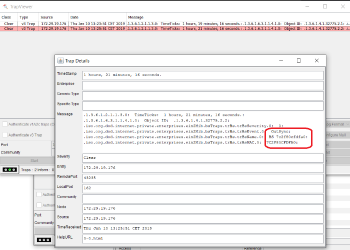
In the tool enabled the Trap viewer (ALT + P)
As mention above, Nx70 supports two Traps:
trBsOnlineState (OID: .1.3.6.1.4.1.32775.2.1) → triggered when BS goes offline:
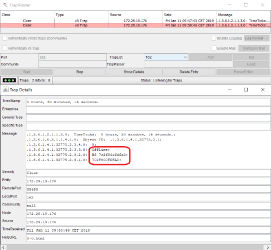
trBsSyncState (OID: .1.3.6.1.4.1.32775.2.2) → triggered when BS lost synchronization: