

FAQ - How to migrate an Multicell to an Virtual Integrator.
Valid for: |
|
| N670 | N770 | N870 | N870E | Embedded Integrator | Virtual Integrator |
Migration to Virtual Integrator
How to Migrate an existing multicell to an Virtual Integrator.
Export the base station and handset configuration
Export the base station configuration.
In the web-interface go to: SETTINGS - Base stations - Administration.
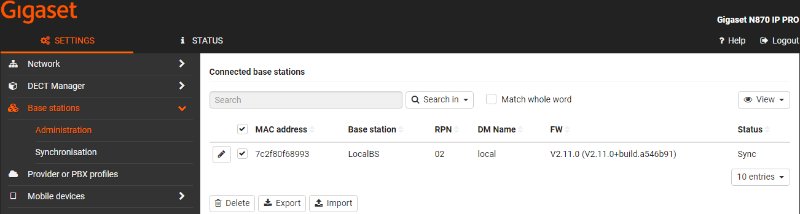
Select all DECT base stations and click on Export. Save the file to your PC.
Export the DECT handset configuration.
In the web-interface go to: SETTINGS - Mobile devices - Administration.
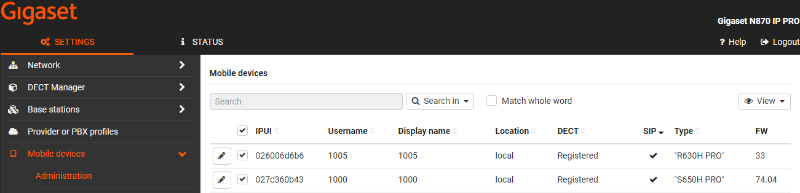
Select all Mobile devices and click on Export. Save the file to your PC.
Installation
- Install the Virtual integrator.
- Change the role of the DECT Manager + Integrator + Base (Optional) to DECT Manager + Base (Optional)
- Integrator: Add the DECT managers to the Integrator config, see item 1.
- DECT manager: Configure the Integrator, see item 1.
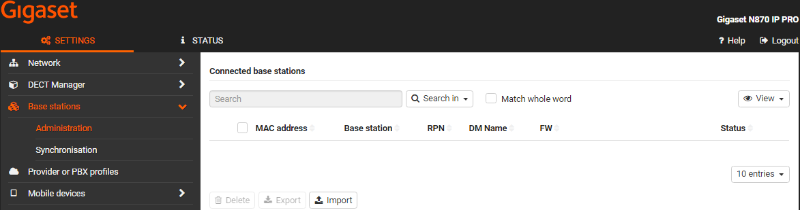
- Import the DECT base station export into the Integrator. SETTINGS - Base stations - Administration - Import
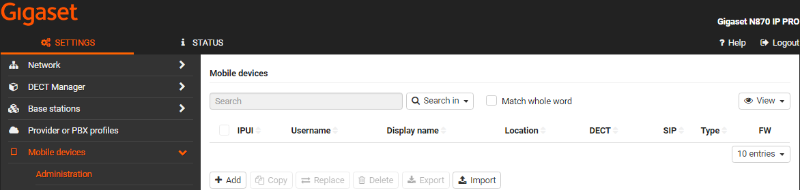
- Import the Mobile devices export into the Integrator. SETTINGS - Mobile devices - Administration - Import
- Set-up the Base station synchronisation Hierarchy.
- If necessary, set up cross-cluster synchronisation via DECT manager synchronisation.