FAQ - N-Way conference
Valid for: | N530 | N610 | N670 | N770 | N870 | N870E | Embedded Integrator | Virtual Integrator |
Introduction
With this newly added feature, you can setup a conference using the N-way feature of Broadworks.
It offers the possibility to initiate large conferences on the Broadworks platform, straight from a Gigaset professional handset.
For conferencing using the N610/N670/N870/N870E IP PRO , there are 3 options:
1. | Local, Nx70 is conference host. | As this feature is available since the introduction, please refer to the manual for more details on usage. |
|---|---|---|
2. | Starting a N-Way conference from an idle handset. | |
3. | Starting a N-way conference while there is an active call. |
You can find the "how to enable" instructions below.
2. Start a conference, Broadworks is the conference host
Step 1 | Step 2 | Step 3 | Step 4 |
|---|---|---|---|
Start - Idle screen | Go to XSI phonebook list | A call is setup towards the | Connected to the N-way |
|
|
|
|
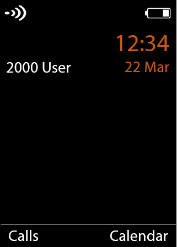
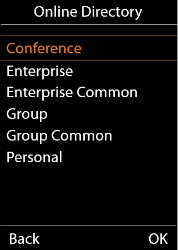
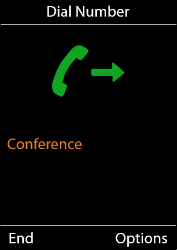
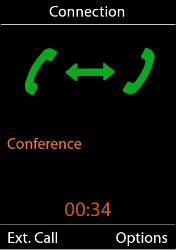
Step 5 | Step 6 | Step 7 | Step 8 |
|---|---|---|---|
Enter the number of the | To add the participant to | When the participant is | N-way conference started. |
|
|
|
|
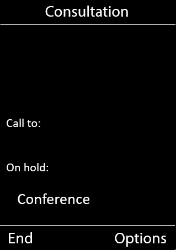
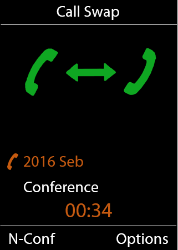
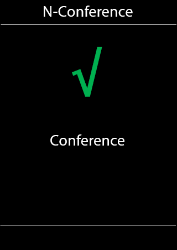
End Conference |
|---|
When the initiator ends |
|
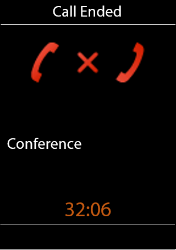
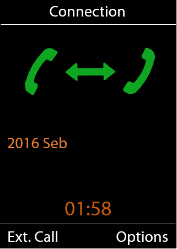
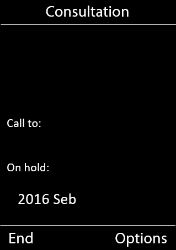
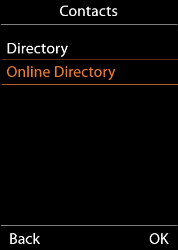
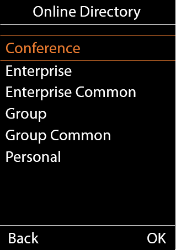
3. Initiate a conference while on call, Broadworks is the conference host
Step 1 | Step 2 | Step 3 | Step 4 |
|---|---|---|---|
Handset is on call and you | To start connecting to | Select: | Select: |
|
|
|
|
Step 5 | Step 6 | Step 7 | Step 8 |
|---|---|---|---|
Dialling to N-Way | Connection to | N-Way conference | N-way conference started. |
|
|
|
|
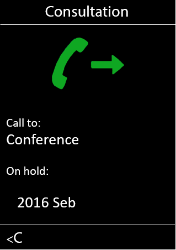
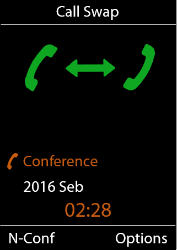
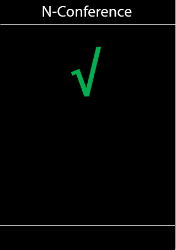
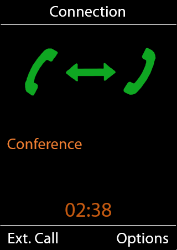
End Conference |
|---|
When the initiator ends |
|
4. Auto-provisioning
The N-way function can only be enabled via auto provisioning.
These two parameters can be added to the provisioning template/file on Broadworks or can be uploaded as a file via the WebGui.
For more information about uploading a provisioning file via the WebGui, click here.
Parameter | |
|---|---|
SipProvider.0.ServerConferenceMode |
|
SipProvider.0.ServerConferenceURI | conference@<yourDomain> |
Example: <?xml version="1.0" encoding="UTF-8"?> <nvm> <param name="SipProvider.0.ServerConferenceMode" value="1"/> <param name="SipProvider.0.ServerConferenceURI" value=" "/> </nvm> | |
Download the XML file via button below.
Note: you have to enter your Conference URI in the XML file before uploading it into the system.