FAQ - Role change via hardware key.
Valid for: | N530 | N610 | N670 | N770 | N870 | N870E | Embedded Integrator |
|
Introduction
With software 2.33 we have improved the role change via the hardware key, the following is improved:
- You do not need to count the seconds anymore how long to press the hardware key to acknowledge the role change. This is done automatically.
- Both LED's will turn RED to acknowledge the new role is accepted.
- During shutdown and boot, both LED's will stay RED until normal start-up procedure.
Example how to switch from Base to All in one role
Action | New | Old |
|---|---|---|
Press hardware key for 10 seconds until both LED's are switched off. Device is in role change mode. |
|
|
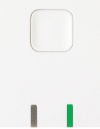
Release hardware key and right LED is GREEN. Role is DECT Base |
|
|
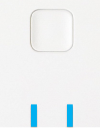
Press hardware key and both LED's will be BLUE. Role is All in one |
|
|
Press hardware key for 5 seconds to confirm the new role. With new software, after 4 seconds the role is automatic With old software, you do not see any LED indication that the |
|
|
Device will start booting, both LED's turn RED. |
|
|
Normal boot process is followed. | For LED signalling see: | |